Pagination
Pagination is a compact control for moving through ordered pages of results. It
renders Bootstrap 5 pagination markup and is the usual companion to tables, search
hits, and any list that is split into numbered pages.
Use it when the data set is too large to show at once and the user needs a stable, numbered way to jump. Sequential "load more" actions are a better fit when there is no meaningful page count.
Basic usage
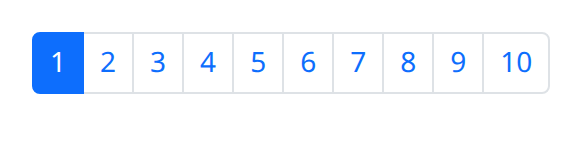
def demo():
    with bs.scope():
        bs.pagination(max_value=10, active_page=1, size="sm", class_name="justify-content-center")
The component generates the page items for you. You do not assemble individual page
links by hand. Style the current page with active_page and keep that value aligned
with the slice of data you render beside the control.
Options
Generated page items
Each construction produces the previous/next affordances and the numbered items that
Bootstrap pagination expects. The active item is the one whose index matches
active_page. Changing active_page restyles the list so the highlight tracks the
results the user is looking at.

def demo():
    with bs.scope():
        bs.pagination(max_value=10, active_page=3, size="lg", class_name="justify-content-end")
        ui.label("Showing page 3")
Hold the instance if the surrounding page needs to read the current active_page
after the user moves.
Active page
active_page is the current page in the generated list. Treat it as application
state: when the user selects another item, update active_page and then fetch or
slice the matching records. Keeping the control and the data on different page
numbers is the usual source of "the highlight is wrong" bugs.
Size
size maps onto Bootstrap's pagination sizing utilities. A small control sits
quietly under dense tables. A large control is appropriate when pagination is the
primary navigation on the page, for example a search-results header.
Alignment
Alignment is done with Bootstrap flex utilities on class_name:
justify-content-start, justify-content-center, and justify-content-end.
End-aligned pagination is a common pattern under full-width tables; centered
pagination suits standalone result pages.
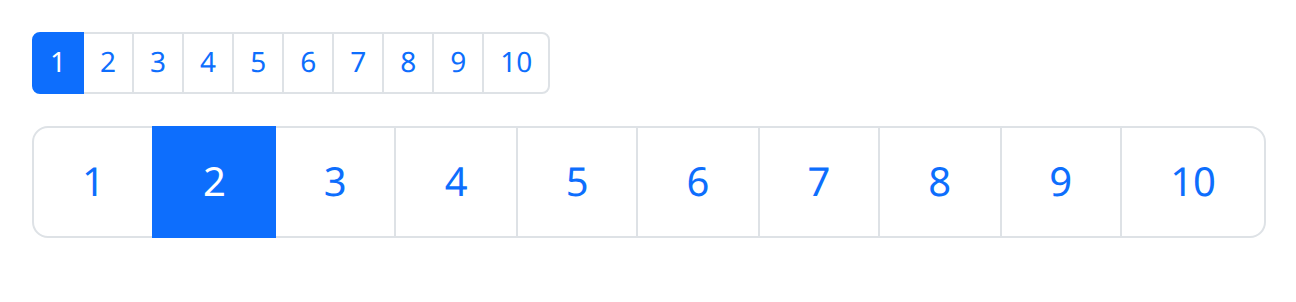
def demo():
    with bs.scope():
        bs.pagination(max_value=10, active_page=1, size="sm")
        bs.pagination(max_value=10, active_page=2, size="lg", class_name="justify-content-end")
Pair the alignment class with the table or list the control belongs to so it lines up with that block rather than with the full viewport.
Argument reference
| Property | Type | Default | DBC 2.0.4 name | Support (native) | Support (compat) |
|---|---|---|---|---|---|
| id | string | None | id | supported | supported |
| active_page | number | 1 | active_page | supported | supported |
| min_value | number | 1 | min_value | supported | supported |
| max_value | number | None | max_value | supported | supported |
| step | number | 1 | step | supported | supported |
| size | a value equal to: 'sm', 'lg' | None | size | supported | supported |
| fully_expanded | boolean | True | fully_expanded | supported | supported |
| previous_next | boolean | False | previous_next | supported | supported |
| first_last | boolean | False | first_last | supported | supported |
| style | unknown | None | style | supported | supported |
| class_name | string | None | className | supported | supported |
| class_name | string | None | className | supported | supported |