Nav
Nav is Bootstrap 5's nav list: a group of links for in-page tabs, sidebar
sections, or secondary navigation that is not a full navbar. Pair it with
NavItem and NavLink. Use Navbar when the block is the site chrome rather
than a list of links inside the page.
Basic usage
Wrap each NavLink in a NavItem. href is the destination; active=True
marks the current item.

def demo():
    with bs.scope(), bs.nav():
        with bs.nav_item():
            bs.nav_link("Home", href="/", active=True)
        with bs.nav_item():
            bs.nav_link("Docs", href="/docs")
        with bs.nav_item():
            bs.nav_link("Blog", href="/blog")
Options
NavLink: active and href
href is the link target. Omit it only when the link is a placeholder you
will wire some other way. active applies the Bootstrap active styling and is
how you show the current section; set it on exactly one item in the group for
ordinary page nav.
Keep the visible label as the NavLink child (bs.nav_link("Home", ...)).
That text is what users and assistive tech read; do not rely on the URL alone.
vertical
vertical=True on Nav stacks the items. That is the usual sidebar or
in-page section list. The default horizontal row is for content headers and
filter bars.
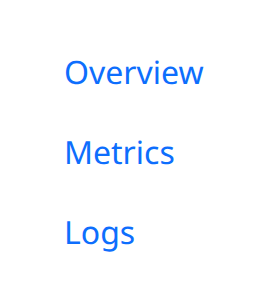
def demo():
    with bs.scope(), bs.nav(vertical=True):
        with bs.nav_item():
            bs.nav_link("Overview", href="/overview", active=True)
        with bs.nav_item():
            bs.nav_link("Metrics", href="/metrics")
        with bs.nav_item():
            bs.nav_link("Logs", href="/logs")
NavItem
NavItem is the list item around a link. One link per item keeps keyboard
order and spacing predictable. Put dropdowns or extra markup inside the item
only when they belong to that one entry.
A Nav inside a Navbar is still this component; the navbar provides the
outer chrome, not a second link API. See Navbar for brand,
toggler, and expand behavior.
Notes
NavLink navigation is the href. If you need a Python click handler instead
of a URL, use a Button styled as a nav control, or attach on_click where
the concrete link component exposes it. Counters such as n_clicks are
adapted for NiceGUI: prefer the callable over polling a counter.
Argument reference
| Property | Type | Default | DBC 2.0.4 name | Support (native) | Support (compat) |
|---|---|---|---|---|---|
| children | a list of or a singular dash component, string or number | None | children | supported | supported |
| id | string | None | id | supported | supported |
| pills | boolean | None | pills | supported | supported |
| vertical | boolean | string | None | vertical | supported | supported |
| horizontal | a value equal to: 'start', 'center', 'end', 'between', 'around' | None | horizontal | supported | supported |
| fill | boolean | None | fill | supported | supported |
| justified | boolean | None | justified | supported | supported |
| card | boolean | None | card | supported | supported |
| navbar | boolean | None | navbar | supported | supported |
| navbar_scroll | boolean | None | navbar_scroll | supported | supported |
| style | unknown | None | style | supported | supported |
| class_name | string | None | className | supported | supported |
| key | string | None | key | unsupported | unsupported |
| class_name | string | None | className | supported | supported |